Run your whole business from your phone.
Record sales, track your stock, see who owes you and know your profit every day, all in one simple app. No cards, no complicated setup.
- Phone, tablet & laptop
- Works offline
- Staff PINs
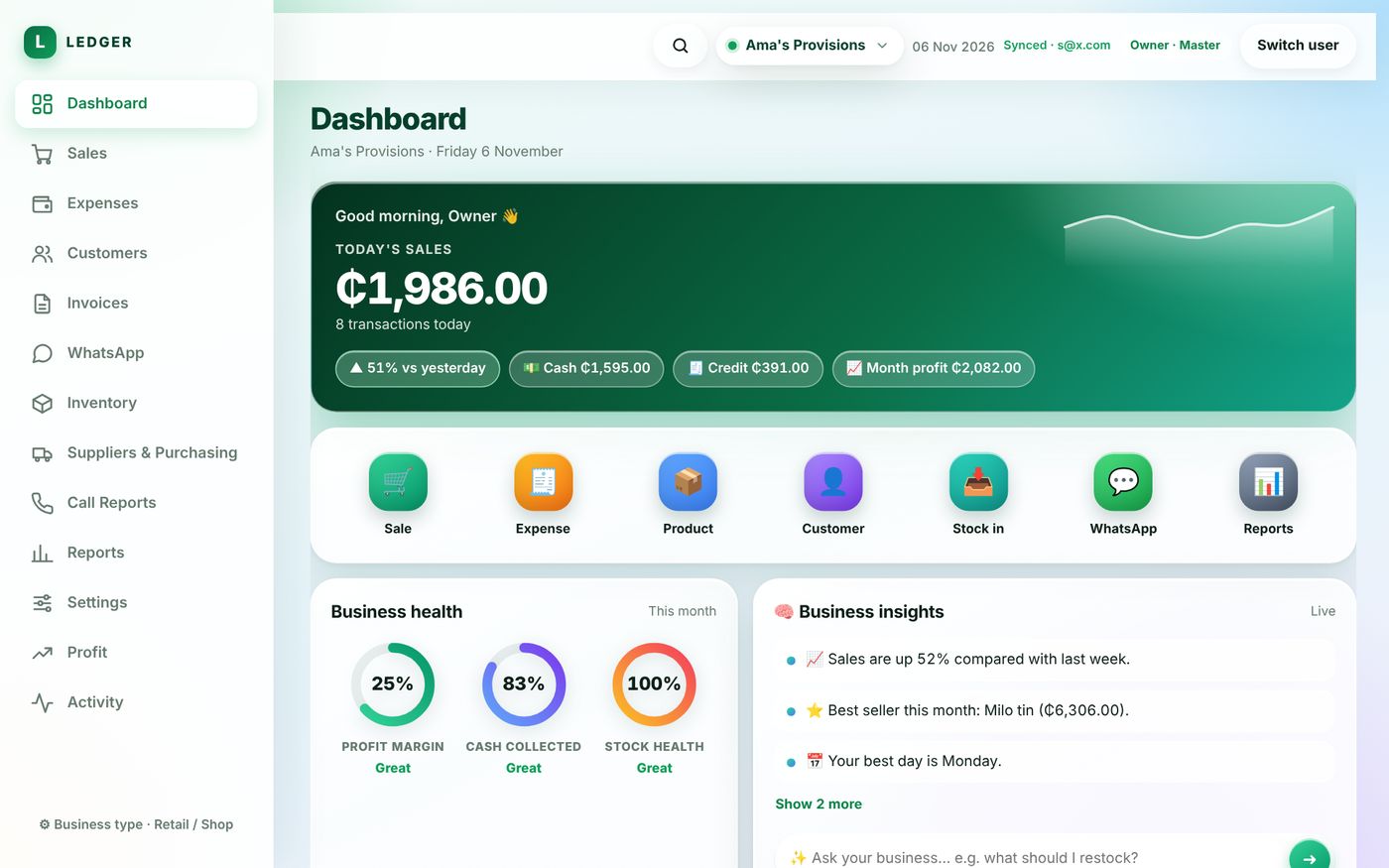
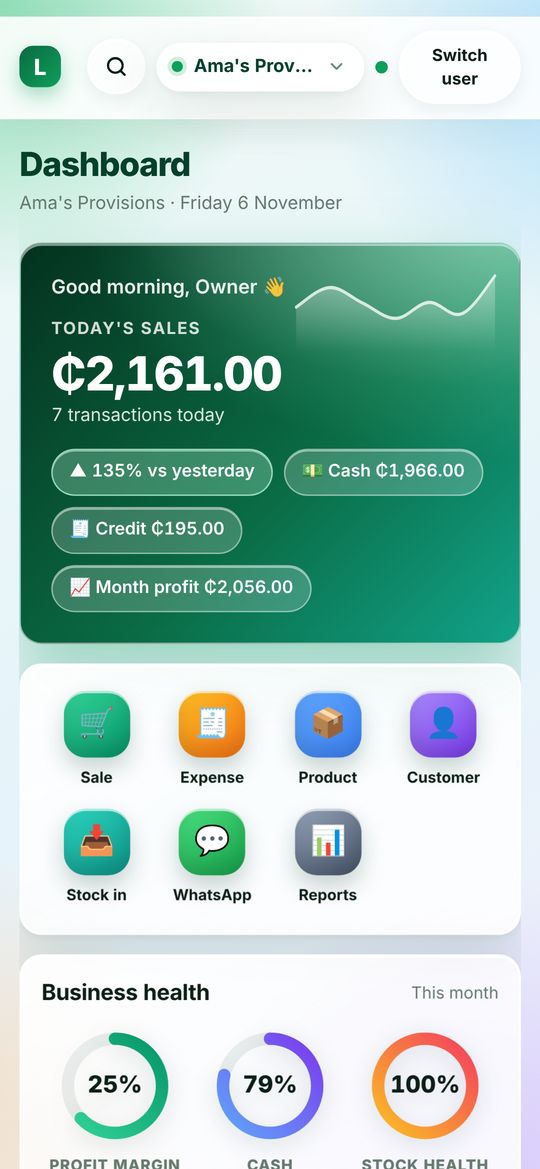
Everything a small business needs, nothing it doesn't.
Ledger replaces the exercise book, the calculator and the guesswork.
Sales in seconds
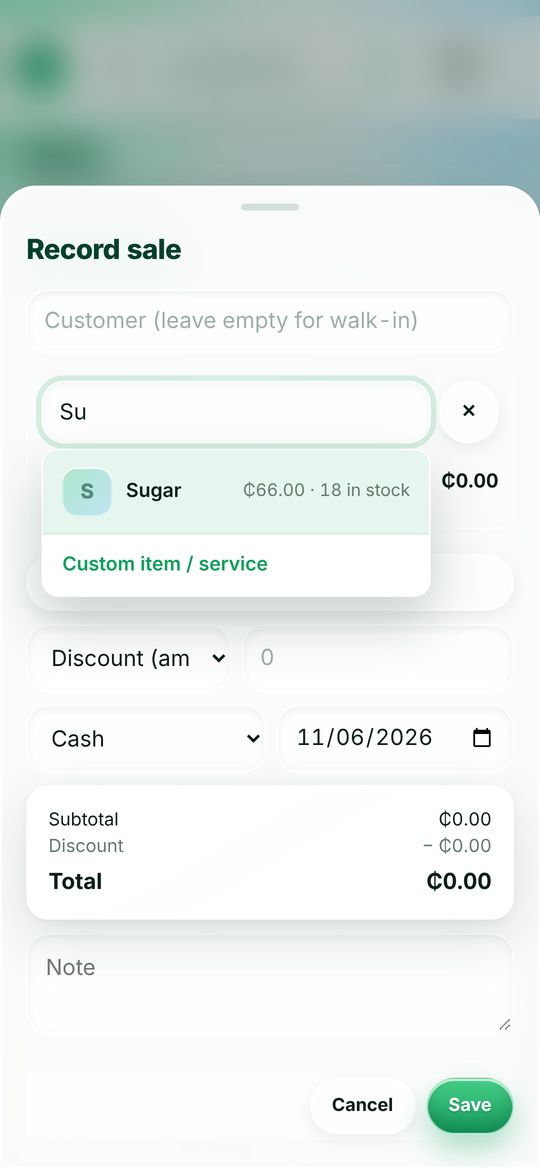
Start typing a product name and tap it. Price and stock show right there. Record cash, Mobile Money or credit.
Stock that warns you
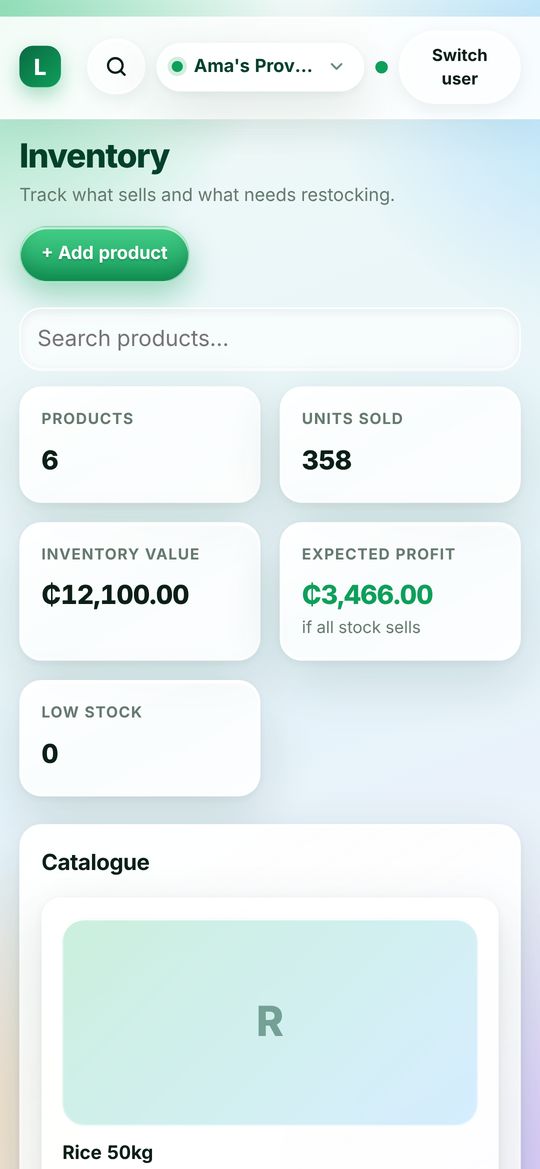
See what is running low before it runs out, and what your stock is worth if it all sells.
Know who owes you
Every customer's balance in one place, with friendly payment reminders you can send on WhatsApp.
Profit you can see
Daily sales, expenses and profit with simple charts, plus plain-language tips like your best seller and best day.
Staff with their own PIN
Everyone signs in with their name and PIN. Owners see everything; staff see only what you allow.
Works when the network doesn't
Keep selling offline. Ledger saves on the device and syncs when you are back online.
Simple enough to learn in an afternoon.
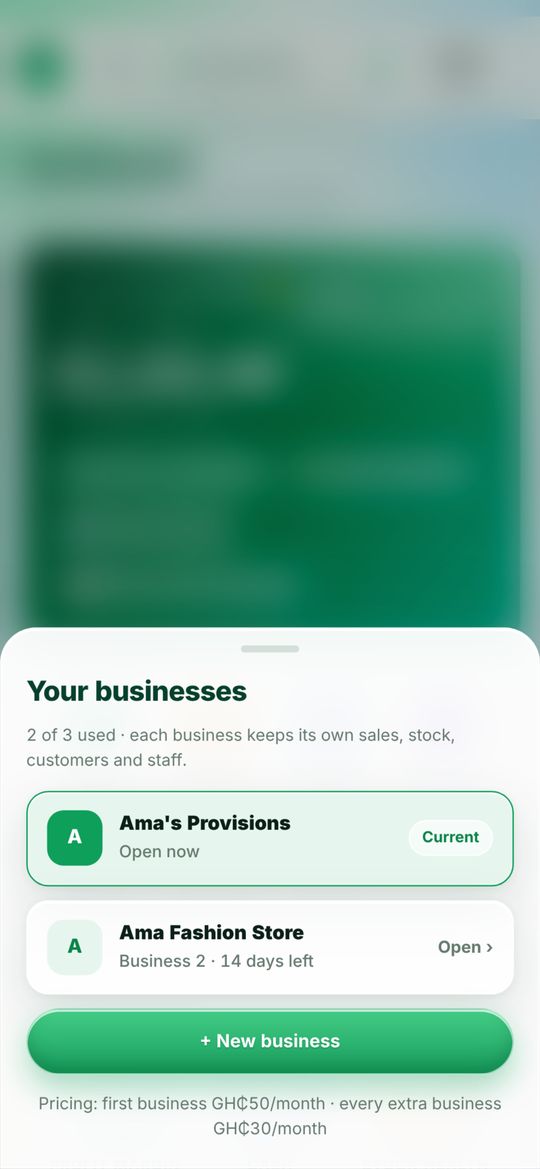
Clean screens, big buttons and no jargon. These are real screens from the app.
Up and running today.
Get your account
Tap Get started and create your business account, or message us on WhatsApp and we will help you.
Add your products
Add what you sell, your prices and how many you have. Add your staff and give each a PIN.
Start selling
Record sales as they happen. Ledger does the adding up and shows your profit.
Built to be trusted.
Your records are your business. We treat them that way.
Private to your account
Each business has its own login. Other businesses can never see your sales, stock or customers.
Saved and backed up
Your data syncs to the cloud, so a lost or broken phone doesn't mean lost records.
We never ask for your money details
Ledger never asks for your card number, bank details or Mobile Money PIN. Anyone who does is not us.
Simple, honest pricing.
No setup fee. No hidden charges.
Your business
For your first business.
- Sales, expenses, stock and customers
- Staff accounts with PINs
- Profit reports and business insights
- Payment reminders on WhatsApp
- Works on phone, tablet and laptop
- Works offline and syncs later
Another business
For each extra business on the same login.
- Its own sales, stock, customers and staff
- Switch between businesses in one tap
- Up to 3 businesses per login
Pay with Mobile Money. Message us on WhatsApp and we will help you activate your account.
Questions business owners ask.
Do I need a computer?
No. Ledger works on a phone, and also on a tablet or laptop. Your records are the same on every device you sign in on.
Does it work without internet?
Yes, once it has been opened on your device. You can keep recording sales offline. Ledger saves them on the device and syncs when you are back online.
How do my staff sign in?
You connect each device to your business account once. After that, staff just pick their name and enter their own PIN. You decide what they can see.
Is my data safe?
Each business account is private, and your records are saved to the cloud. We never ask for your card, bank details or Mobile Money PIN.
Can I run more than one business?
Yes. You can run up to 3 businesses under one login. Each one keeps its own sales, stock, customers and staff. The extra ones are GH₵30 a month each.
How do I add Ledger to my home screen?
- iPhone (Safari): open Ledger, tap the Share button, then Add to Home Screen.
- Android (Chrome): open Ledger, tap the ⋮ menu, then Add to Home screen.
It then opens full screen like any other app and stays signed in.
How do I pay?
With Mobile Money. Message us on WhatsApp and we will help you activate your account.
Ready to know your numbers?
Create your account today and record your first sale in minutes.